- fist step: make design with bullets, buttons, and play and pause button.
- second step: edit html code (woslider.html) with how to upload wow Slider design in blogger or blogspot.com
- upload bullets, buttons, pause button and play button in online store (like google sites)
- open style.css file from WOW Slider and uploaded bullets, button, paly and pause buttons copy link address and past in ./bullet.png, ./arrows.png,./pause.png,./play.png
- style.css like this:
Showing posts with label WOW Slider. Show all posts
Showing posts with label WOW Slider. Show all posts
How to upload WOW Slider design in blogger or blogspot.com with next, previous, bullets, pause and play button
when the slideshow without next, previous, pause, play and bullets, feel something missing. so these steps follow for Wowslider design upload in blogger or blogspot.com.


How to Upload WOW Slider Design in Blogger/blogspot.com
Are you Confuse..................., your WOW Slider slideshow is not working in your blogger/blogspot.com. don't worry.............. follow these steps to upload your Wow slider Design in Blogger/blogspot.com.
6. Copy WOW Slider html code> open blogger > new post and click html or add gadget and choose html/javascrip> paste and upload.
7. see the Demo 1, Demo 2 .
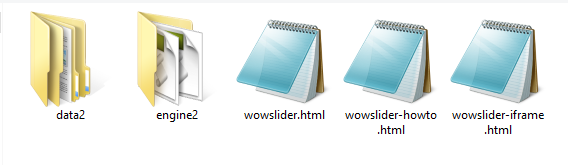
- Create your WOW Slider Design. when you create design these files will be created.

- open data file of wowslider > images> upload in online store (like google sites). I am using google sites so i refer use google sites for data stores.
- open engine file and upload these files.

- after uploaded > copy link address > open wowslider.html > past where is images and other css, css, jquery and wowslider.js files link address

| <!DOCTYPE html> <html> <head> <title>Slideshow html</title> <meta http-equiv="content-type" content="text/html; charset=utf-8" /> <meta name="description" content="Made with WOW Slider - Create beautiful, responsive image sliders in a few clicks. Awesome skins and animations. Slideshow html" /> <!-- Start WOWSlider.com HEAD section --> <!-- add to the <head> of your page --> <link rel="stylesheet" type="text/css" href=" <script type="text/javascript" src=" <!-- End WOWSlider.com HEAD section --> </head> <body style="background-color:#d7d7d7;margin:auto"> <!-- Start WOWSlider.com BODY section --> <!-- add to the <body> of your page --> <div id="wowslider-container2"> <div class="ws_images"><ul> <li><img src=" <li><img src=" <li><a href="http://wowslider.com"><img src=" <li><img src=" </ul></div> <div class="ws_script" style="position:absolute;left:-99%"><a href="http://wowslider.com/vi">slideshow html</a> by WOWSlider.com v7.8</div> <div class="ws_shadow"></div> </div> <script type="text/javascript" src=" <script type="text/javascript" src=" <!-- End WOWSlider.com BODY section --> </body> </html> |
UPLOAD YOUR SCRIPT.JS OF WOWSLIDER IN YOUR ONLINE STORE AND COPY&PASTE LINK ADDRESS HERE
UPLOAD YOUR WOWSLIDER.JS OF WOWSLIDER IN ONLINE STORE AND COPY&PAST LINK ADDRESS HERE
UPLOAD YOUR JUERY.JS OF WOWSLIDER IN ONLINE STORE AND COPY& PASTE LINK ADDRESS HERE
UPLOAD YOUR STYLE.CSS OF WOWSLIDER IN ONLINE STORE AND COPY&PASTE LINK ADDRESS HERE
UPLOAD YOUR 4TH IMAGES IN ONLINE STORE AND COPY & PASTE LINK ADDRESS HERE
UPLOAD YOUR 3RD IMAGE IN ONLINE STORE AND COPY &PASTE LINK ADDRESS HERE
UPLOAD YOUR 2ND IMAGE IN ONLINE STORE AND COPY & PASTE LINK ADDRESS HERE
UPLOAD YOUR 1ST IMAGE IN YOUR ONLINE STORE AND COPY & PASTE LINK ADDRESS HERE
7. see the Demo 1, Demo 2 .


